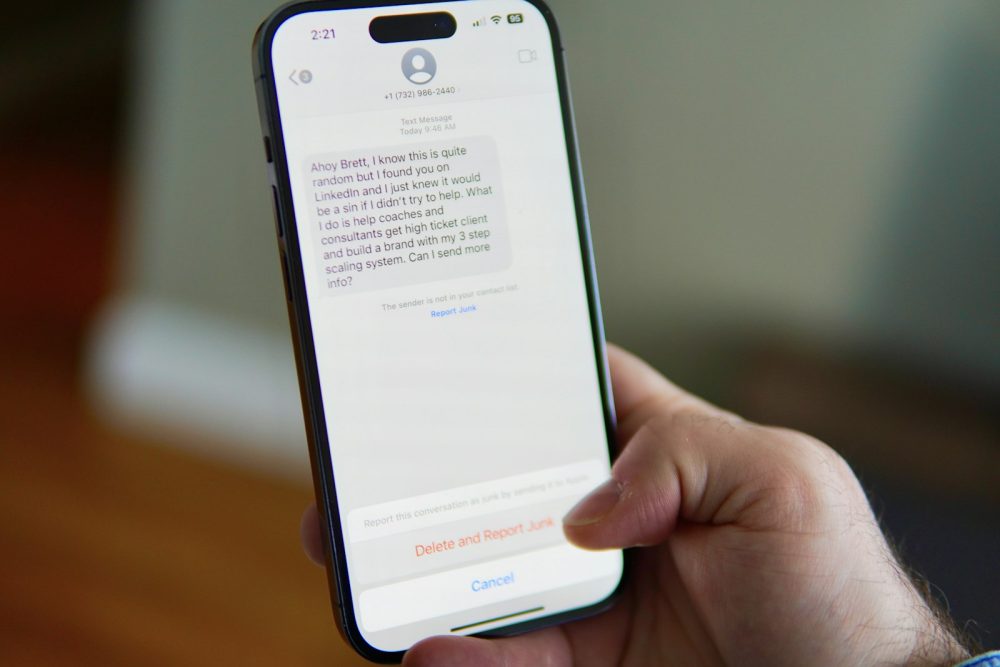
Scams are designed to rush you. Knowing the warning signs, and exactly who to call if something goes wrong, takes away much of their power.
Quick summary
- Scams often create urgency, ask for payment in unusual ways or ask for codes, passwords or remote access.
- If you’ve lost money or shared bank details, contact your bank or card provider straight away.
- IDCARE, Australia’s national identity and cyber support service, offers free help on 1800 595 160.
- Report cybercrime to police through ReportCyber at cyber.gov.au, and report scams to Scamwatch.
- Beware of anyone offering to recover lost money for a fee; that’s a scam too.
Scams reach Australians by phone, text, email, social media and fake websites. They change constantly, but the tactics are surprisingly consistent. Scamwatch, run by the National Anti-Scam Centre, sums up the response in three words: Stop. Check. Protect.
Common warning signs
- Urgency or threats: “Your account will be closed today,” “Pay now or police will be notified.”
- Unexpected contact from a bank, government agency, delivery company or tech support.
- Requests for codes or passwords, including one-time codes sent to your phone.
- Unusual payment methods, such as gift cards, crypto or transfers to a new account.
- Requests to install an app or give someone remote access to your computer or phone.
- Offers that seem too good to be true, such as investment returns, prizes or cheap goods.
Stop and check
If something feels off, stop. Don’t click links, call numbers in the message or reply. Instead:
- Find the organisation’s contact details yourself, from its official website, a bill or the back of your card.
- Contact it directly to check whether the message is genuine.
- Talk to someone you trust before sending money or personal information.
Be careful
Genuine banks, government agencies and tech companies won’t ask you to read out a one-time code, move money to a “safe account” or install remote-access software. Anyone who does is a scammer.
If you’ve been scammed
Act quickly. These steps, drawn from Scamwatch and the Australian Cyber Security Centre, can limit the damage:
- Contact your bank or card provider immediately if you’ve sent money or shared card or account details. Ask them to stop any transactions.
- Stop paying. Scammers often come back with more demands.
- Change passwords and security details on any affected accounts, and turn on multi-factor authentication.
- Contact IDCARE on 1800 595 160 for free support and a response plan, especially if your identity documents were involved.
- Report cybercrime to police through ReportCyber at cyber.gov.au.
- Report the scam to Scamwatch, which helps the National Anti-Scam Centre warn others and disrupt scams.
- Check bank statements and your credit report for unusual activity over the following months.
If you lost cryptocurrency, also contact the exchange you used straight away.
Watch for recovery scams
After a scam, you may be contacted by someone promising to recover your money for a fee, sometimes claiming to be a lawyer, a government agency or a crypto recovery service. Scamwatch warns that money-recovery offers are a scam in their own right.
Protect yourself in advance
Strong, unique passphrases and multi-factor authentication make it much harder for scammers to take over your accounts, even if they trick you into revealing a password. And if your details turn up in a company’s data breach, see our guide to what to do after a data breach.
Your questions answered
Will reporting to Scamwatch get my money back?
Usually not directly. Scamwatch reports help the National Anti-Scam Centre understand and disrupt scams, but it can’t recover money. Your bank or payment provider is the best first contact for that.
My bank called about suspicious activity. How do I know it’s real?
Hang up and call your bank on the number on its official website or the back of your card. Don’t use a number given to you in the call or message.
I clicked a link but didn’t enter anything. What now?
Close the page, don’t enter any details, and run your device’s security checks. If you entered a password, change it straight away and turn on multi-factor authentication.
Someone has my driver’s licence or passport details. What should I do?
Contact IDCARE for a free response plan, and contact the agency that issued the document. They can advise on replacing it and protecting yourself.
This guide is general information, not technical or legal advice. If you’ve lost money or personal information, contact your bank, IDCARE on 1800 595 160, or report it through ReportCyber at cyber.gov.au.